Enrolling a student on a course
How to place a student on a published version of a course so their training record starts tracking.
Last reviewed
Enrolling a student is what starts their training record. From that point, every lesson they fly is recorded against a specific version of a specific course, and their progress is tracked against it automatically.
How to enrol
Place the student on a published version of a course. The version matters: the student is enrolled on the version as it stands at that moment, and they stay on it. If you later publish a new version of the course, students already enrolled are not moved onto it, so a syllabus change never rewrites what someone was signed off against. See How courses, versions and enrolments fit together.
What starts tracking
Once enrolled, the student's training record begins to fill as they fly:
- Each lesson is recorded against the syllabus exercise it covers, graded and signed.
- Progress against the course is worked out from those records, not from someone's memory of where the student is.
- Prerequisites and stages are respected, so the sequence of the syllabus is followed.
Watching progress
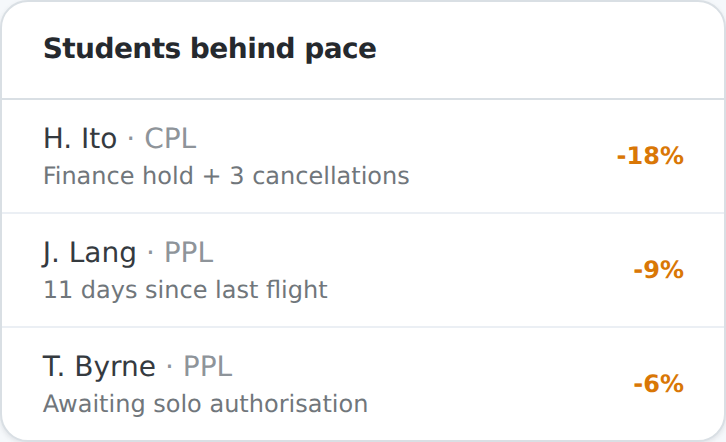
Because progress is computed from the records, the system can tell you who is falling behind before it becomes a problem. Students behind the expected pace are surfaced, so a head of training or a CFI can act early rather than discovering at the end of a course that someone drifted.
Assigning an instructor
Enrolment places the student on the course; assigning an instructor decides who is responsible for them day to day. The two are separate on purpose, so a student can keep their record while their assigned instructor changes. See Assigning instructors to students.