Scheduling and bookingsFor staff
Why was a booking blocked?
A blocked booking always tells you the reason. Here is how to read it and what to do next.
Last reviewed
A blocked booking is not the system being awkward. It is the system telling you, before anyone drives to the airfield, that this flight cannot happen as booked, and exactly why. The reason is always on the screen.
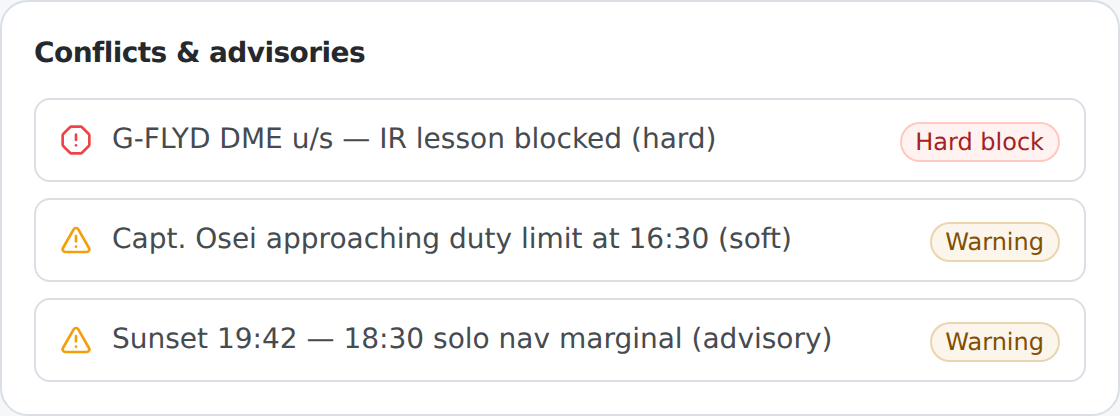
Reading the reason
Every block names the specific thing that failed, evaluated against the time the flight is scheduled for. Common reasons:
- An expired or missing privilege: an instructor rating, a student medical or another document is not valid for the date of the flight.
- The aircraft is unavailable: it is grounded by a defect, or a maintenance requirement is due before the flight.
- A duty limit: the flight would breach a rolling flight-time or duty limit.
- A finance hold: a hold is in place that should stop the booking.
You are not left to work out which of a dozen things went wrong; the panel tells you.
Hard block or soft warning
The panel distinguishes the two, and they call for different action:
- A hard block means the flight cannot go. The fix is to change the underlying situation, use a different aircraft, a different instructor, or a different time, not to argue with the system.
- A soft warning flags something worth a human decision without forbidding it. Where your organisation permits, someone with the authority can override it, and the override is recorded with who and why.
What to do next
- Read the reason.
- If it is a hard block, adjust the booking so the problem does not apply, a different resource or slot.
- If it is a soft warning and you have the authority, decide whether to override it. See Overriding a warning, and who may.
- If the reason is a lapsed document or rating, the real fix is to update that record, which clears the block for every flight that depended on it, not just this one.