Checking in a flight
How to check a flight in on the operations board, and what check-in confirms before dispatch.
Last reviewed
Check-in is the point where a flight stops being a plan and becomes part of today. It moves the flight along the operations board and tells everyone the people are here and the flight is going ahead.
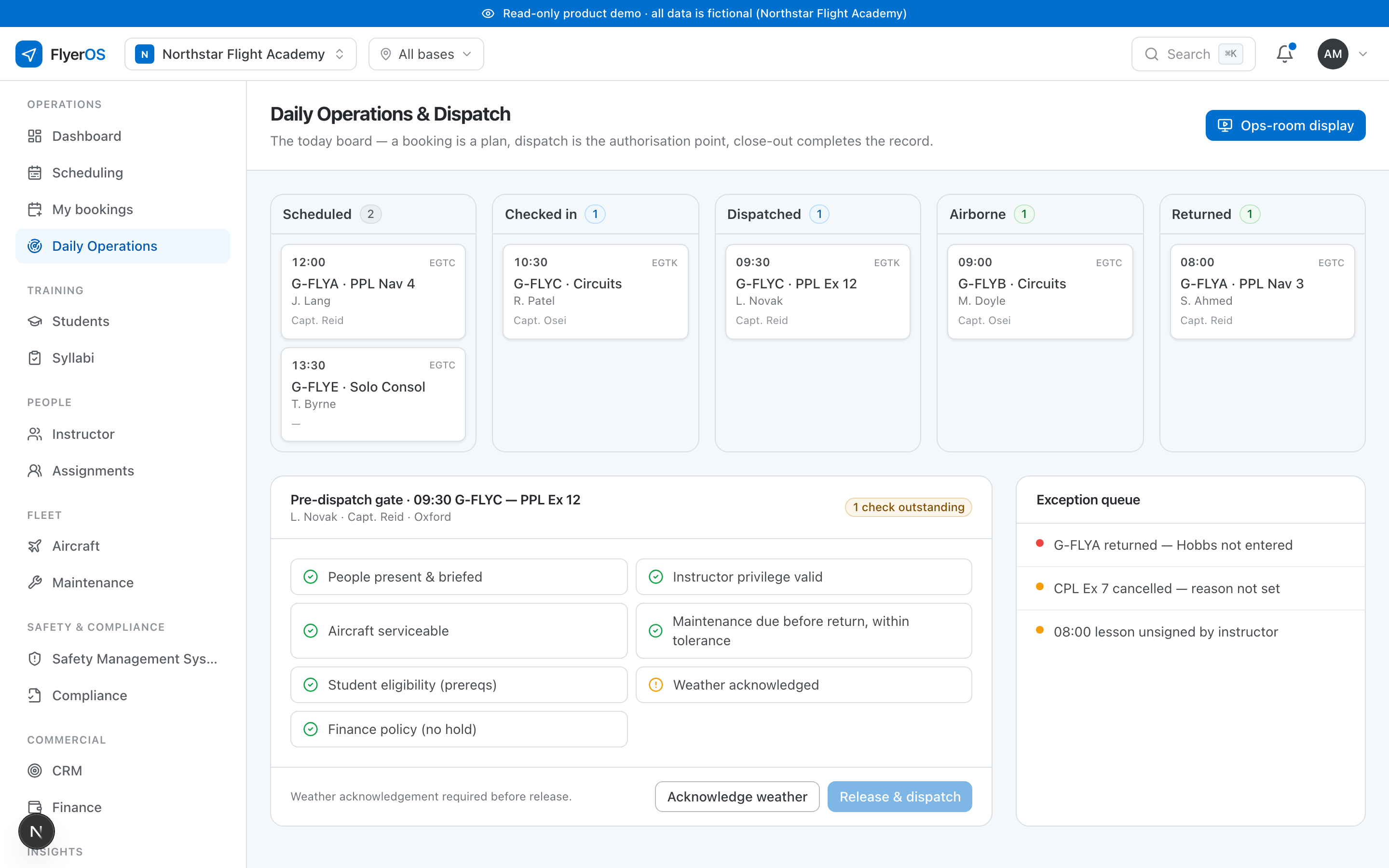
How to check a flight in
On the operations board, find the flight in the scheduled column and check it in. That does a few things at once:
- It confirms the student and instructor have arrived.
- It moves the flight into the checked-in state, so the board shows where every flight actually is.
- It readies the flight for the pre-dispatch gate, the last set of checks before the aircraft is released.
What check-in confirms
Checking in is not the same as dispatching. It says the flight is happening today; it does not release the aircraft. That is deliberate: between check-in and dispatch there is still a gate to pass, and it runs the eligibility checks again against the state right now. A document that expired overnight or a defect raised this morning is caught there, not waved through because the flight was booked days ago. See The pre-dispatch gate.
Where it sits in the day
Check-in is one state in the sequence a flight moves through: booked, briefed and checked in, dispatched, flown, recorded. You work the board left to right through the day, and check-in is where a flight crosses from planning into operations. See How the operating day runs.