How the operating day runs in FlyerOS
The shape of a flying day, check-in, the pre-dispatch gate, dispatch, and a clean close-out.
Last reviewed
The operating day has a shape, and FlyerOS follows it rather than leaving you to invent one. One record moves through the day, from the booking to the invoice, and everything that depends on it moves with it.
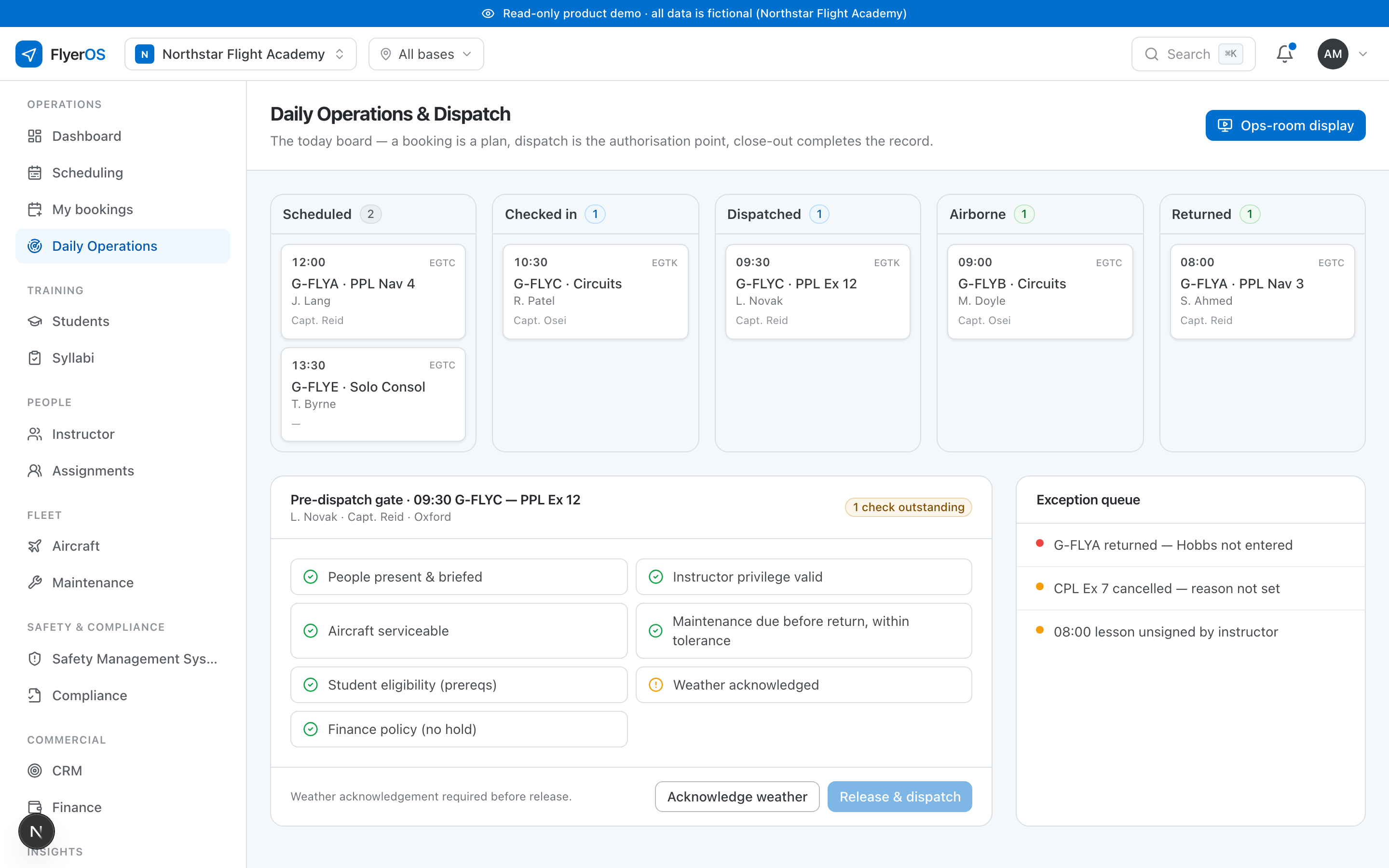
The day, end to end
A flight moves through a sequence of states, and the operations board is organised around them:
- Booked: the flight is on the schedule, having passed the checks. See What the schedule checks.
- Briefed and checked in: the student and instructor have arrived and the flight is confirmed for today. See Checking in a flight.
- Dispatched: the flight has passed the pre-dispatch gate and the aircraft is released. See The pre-dispatch gate.
- Flown: the aircraft is airborne, then back.
- Recorded: the lesson is signed, the counters are read, the technical outcome is declared, and the charge is raised.
You work the board left to right through the day. Nothing has to be re-entered as a flight moves along it, because it is one record changing state, not a handoff between systems.
The exception queue
Most of the day runs itself. What needs you is the exceptions, and they are surfaced rather than hidden: a flight checked in but not dispatched, an aircraft that went tech, a flight that landed without its technical outcome declared. Working the exception queue to empty is what a clean day looks like, and by dusk it should be short.
Everyone sees the same board
Operations, instructors and management look at one current picture. When an aircraft goes unserviceable or an instructor calls in sick, the affected flights are identified with their students and instructors in the same minute, which is the only time anybody can actually do something about it.